The fail-open browser extension that restyles and re-lays-out desktop YouTube in one click. Pick curated cinema looks, eliminate distractions with Calm Mode, and enjoy deep focus with zero tracking and zero account requirements.
Click themes below or toggle Calm Mode to see the live interface transform instantly.
Cinedrape re-imagines desktop YouTube as a calm, beautiful personal theater. Built with precision engineering, local privacy, and fail-open guarantees.
From pitch-black OLED to retro terminal green phosphor, warm Paper Study, pastel Sunset, and icy Frost. Every theme is bundled as pure JSON data with zero runtime downloads.
Tired of dopamine-fueled algorithmic traps? Hide recommendation sidebars, collapse comment sections, hide view counts, and eliminate notification badges in one click.
Switch between curated Cinema Hero rows and clean grid layouts. Adjust card density from 1 (cozy & compact) to 5 (roomy) perfectly tailored to ultrawide monitors or compact laptops.
If YouTube updates its internal DOM or element names, Cinedrape safely and gracefully turns off only affected styling. Your video playback, player controls, and ads are never broken.
Enjoy Paper Study or Matcha during bright daylight hours, and automatically transition to True Black or Midnight Cinema at sunset. Handled 100% locally on your computer.
Create your own bespoke YouTube themes. Adjust background surfaces, accent highlights, typography, corner radii, and drop shadows in real-time. Export and share as JSON.
Real captures of Cinedrape running live on youtube.com — six looks across the home feed, watch page, and popup. Click any image to view in high resolution.
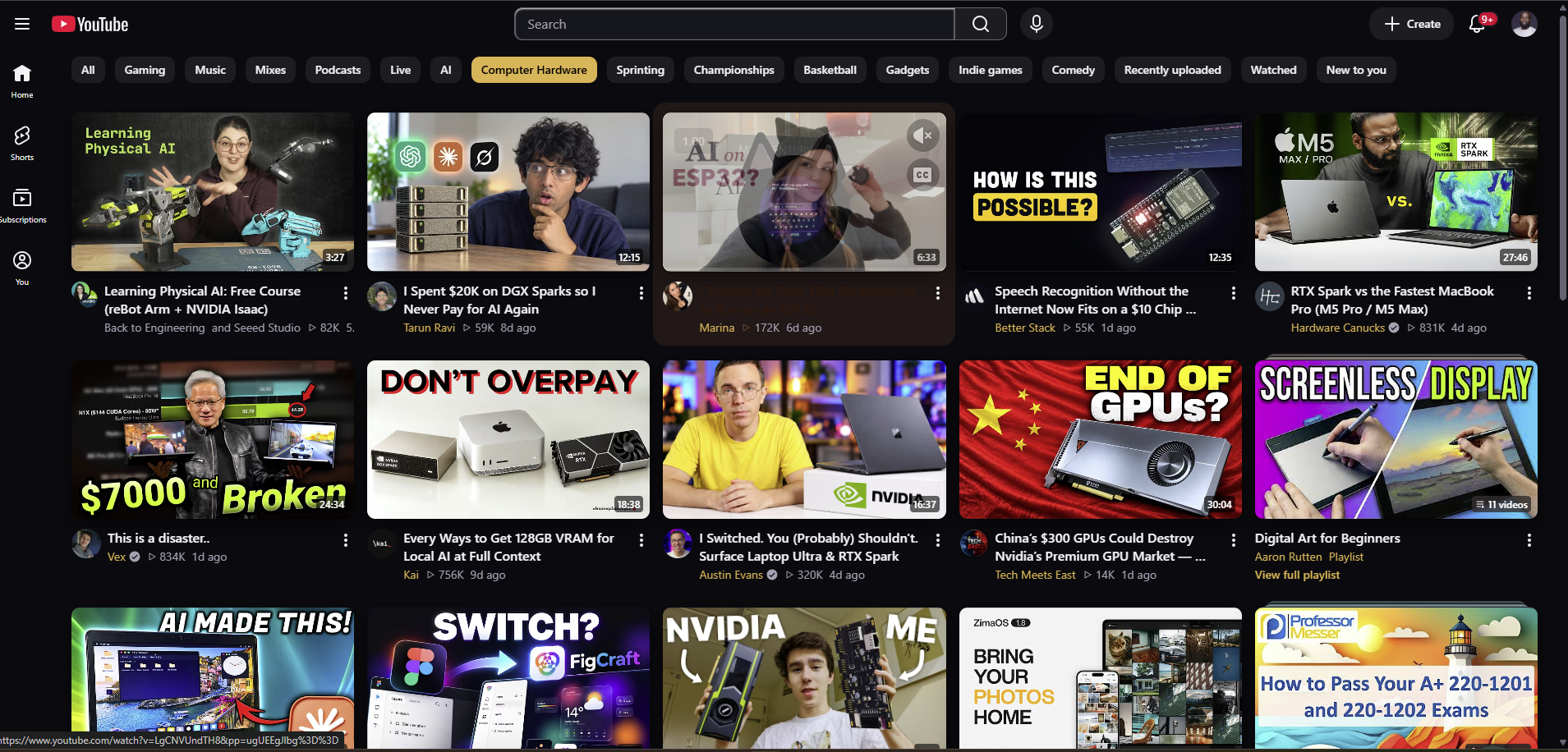
The signature Cinema look on a live home feed: warm gold accents, deep surfaces, and calm cards — with ads and disclosures untouched.
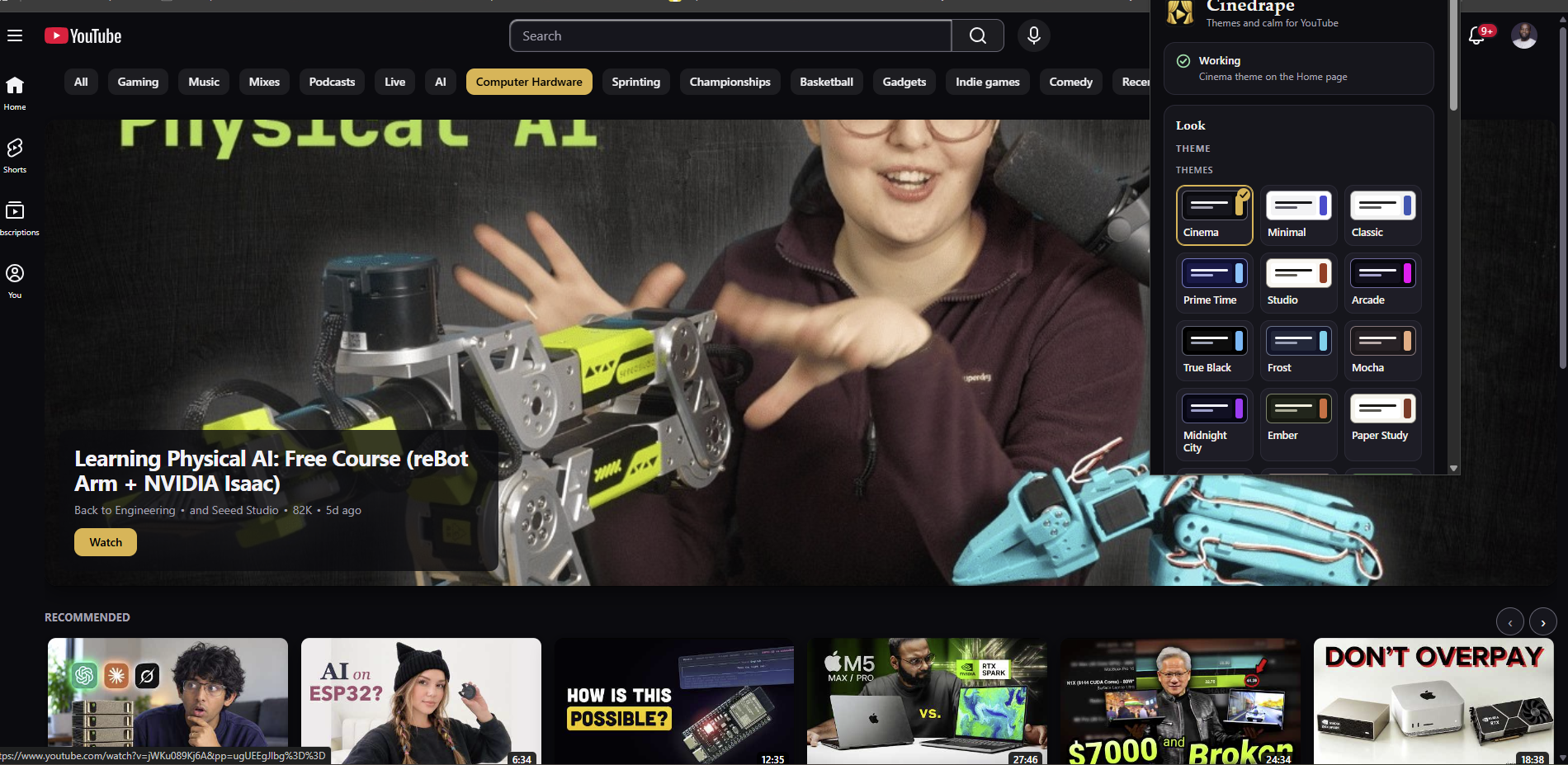
Switch themes, layout density, and calm filters from the toolbar — changes land instantly on the open tab.
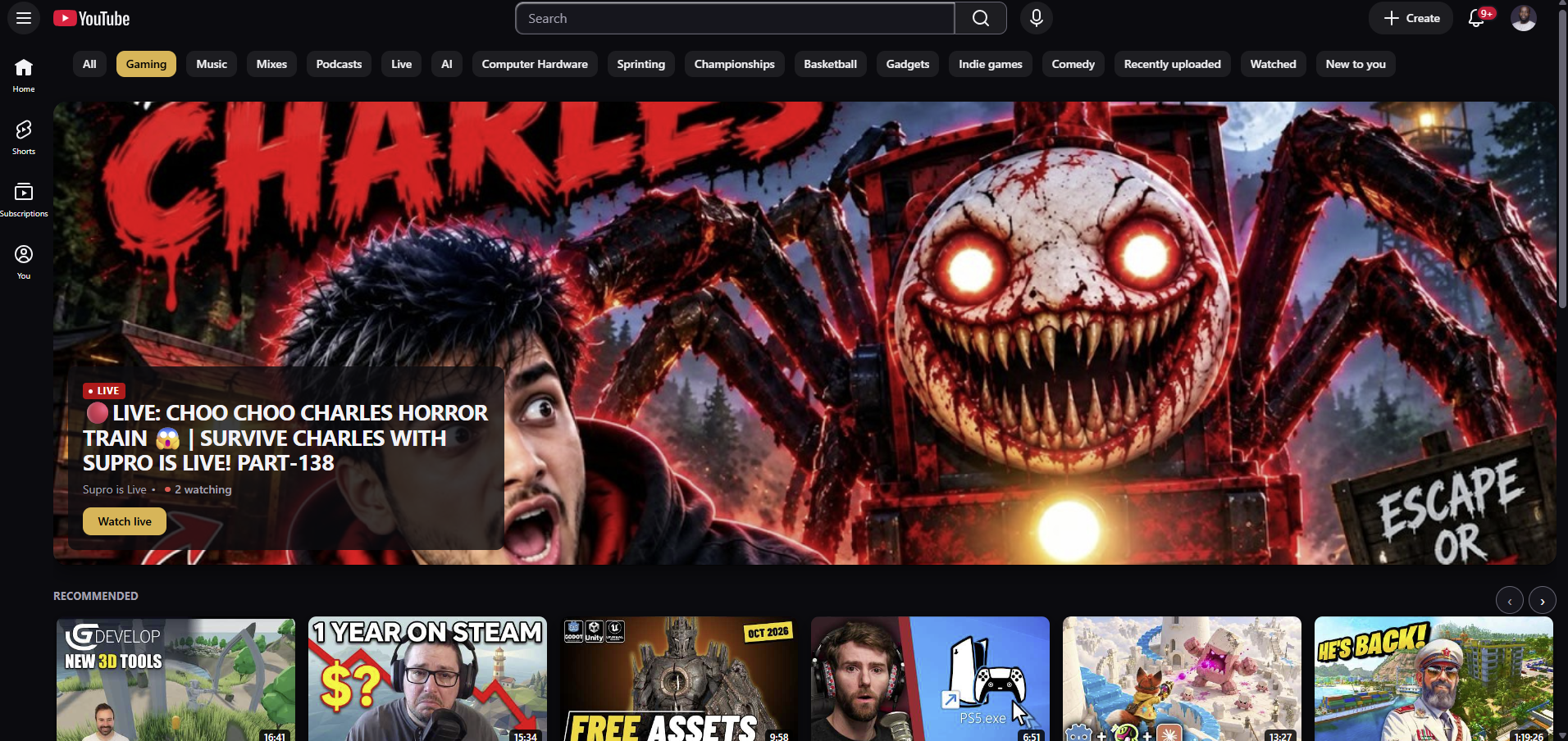
Broadcast's newsroom red across a gaming feed: themed chips, readable metadata, and an untouched player.
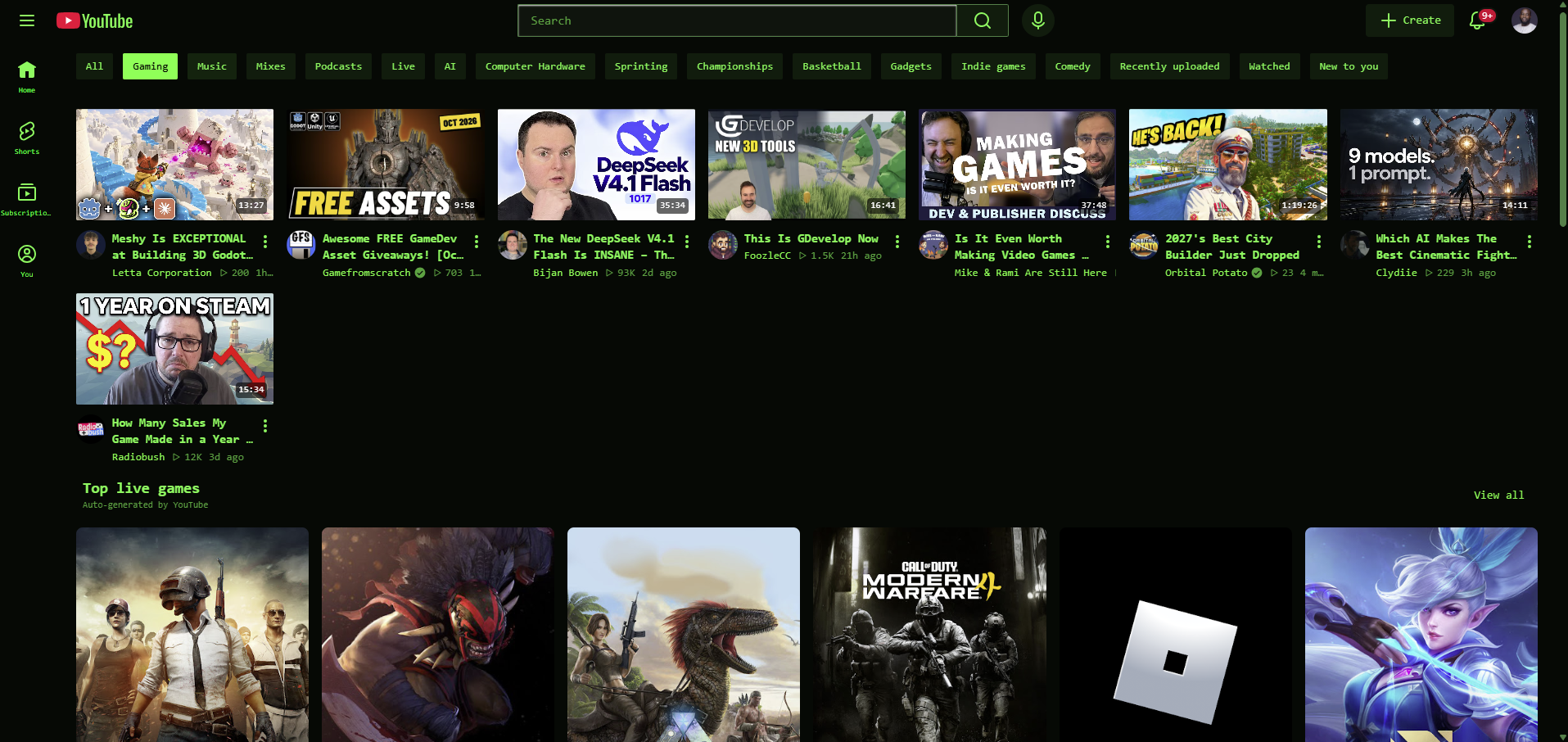
One click re-skins the entire feed in phosphor green — monospace type, hard borders, zero layout breakage.
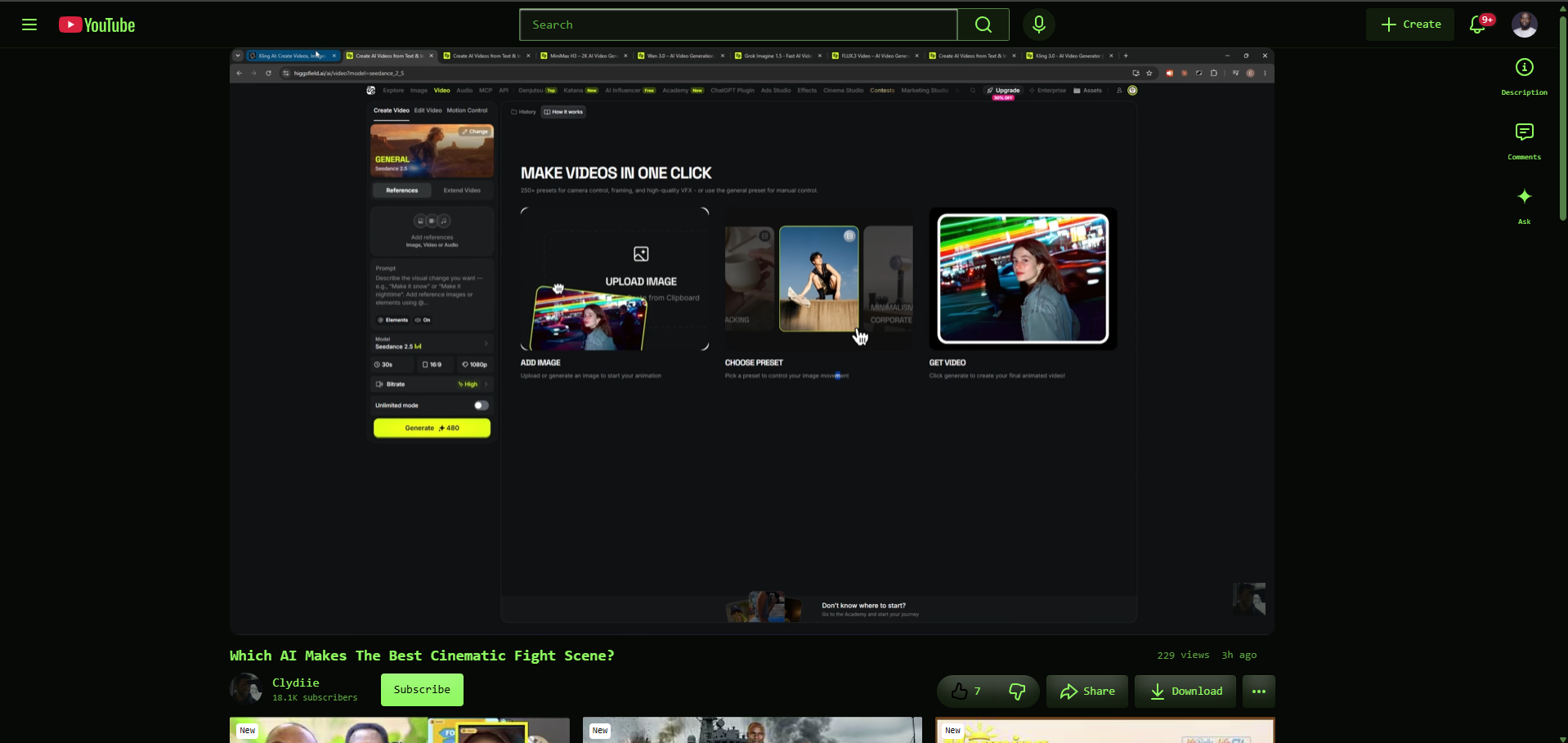
Themes follow you to the watch page: focused player, themed chrome, and legible titles and comments.
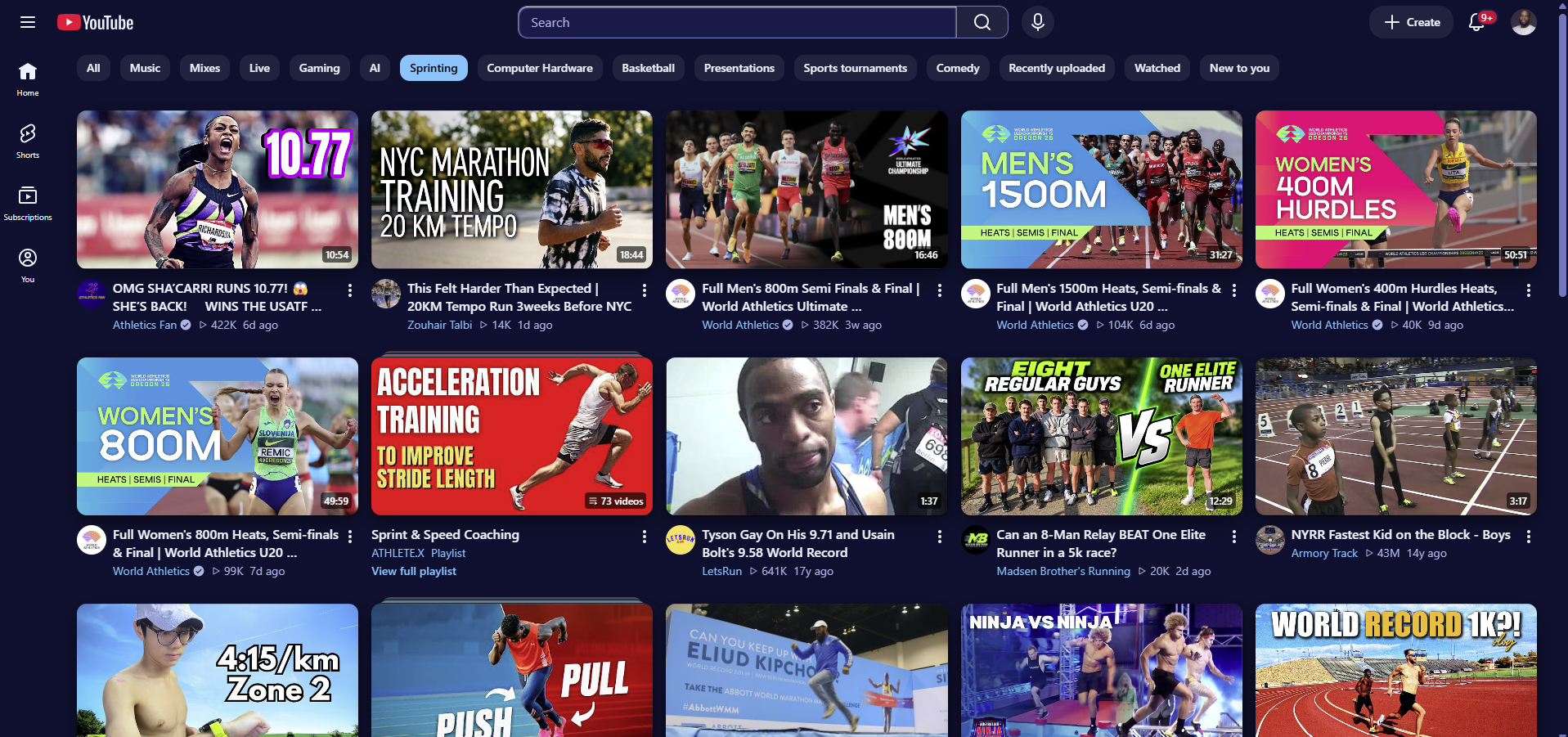
Frost's cool light palette on a real feed — proof the engine restyles light YouTube as cleanly as dark.
Most browser extensions silently track your browsing history or call remote APIs. Cinedrape was engineered from line 1 with zero network calls and strict sandboxing.
| Security & Privacy Vector | Cinedrape | Standard Browser Extensions |
|---|---|---|
| Telemetry & Analytics | ✓ Zero (0 network requests in content script) | ✗ Google Analytics, Mixpanel, Sentry telemetry |
| Account Requirement | ✓ None (Runs 100% on-device) | ✗ Mandatory cloud account & email logins |
| Ad & Player Safety | ✓ Strict Validator (Cannot hide ads or player) | ✗ Unchecked CSS often breaks player & monetisation |
| Failure Handling | ✓ Fail-Open (Reverts to standard YouTube on error) | ✗ Leaves broken layouts and unplayable video pages |
| Executable Code Storage | ✓ Pure JSON Data (0 eval, 0 new Function) | ✗ Remote code scripts, eval(), unvetted injections |
| DOM Compatibility Updates | ✓ ECDSA Signed Map (Cryptographically verified) | ✗ Unsigned hardcoded scraper selectors |
Install in one click from the Microsoft Edge Add-ons or Firefox Add-ons stores, or build from source for Chrome, Brave, and friends. 100% free — all 16 themes, layouts, and calm mode filters included.
Microsoft Edge users: install directly from the store — no build tools required. Chrome and Brave users: load the unpacked build with the steps below.
Download the latest release archive from GitHub, or clone and build locally:
git clone https://github.com/JDamour/Cinedrape.git && cd Cinedrape && npm install && npm run build
Navigate to chrome://extensions in Chrome/Brave or edge://extensions in Microsoft Edge. Switch on the Developer mode toggle.
Click Load unpacked and select the dist/ folder (or dist-edge/ for Edge). Navigate to youtube.com and click the Cinedrape icon in your toolbar!
Recommended: install from Mozilla Add-ons (AMO) for automatic updates. Prefer running from source? Load a temporary add-on with the steps below.
Cinedrape includes dedicated Firefox Manifest V3 target builds:
npm run build:firefox
In Firefox, enter about:debugging#/runtime/this-firefox into the address bar.
Click Load Temporary Add-on... and select dist-firefox/manifest.json.
npm install && npm run build:strict
npm test
Build and package clean store-ready archives into release/:
npm run package:dev
Everything you need to know about Cinedrape, how it works, and our privacy commitments.
No. Cinedrape is not an ad blocker. Our built-in CSS validator strictly refuses any rules or selectors that could hide, collapse, cover, or interfere with advertisements, sponsorship disclosures, or video player controls. Creators earn their revenue normally.
No. Cinedrape applies styles via high-performance CSS custom properties (variables) injected once into the page root. We avoid heavy JavaScript mutation loops. In fact, Calm Mode often speeds up page responsiveness by hiding dynamic comment threads and endless recommendations.
Cinedrape uses a dual protection model: First, all selectors are separated into an ECDSA-signed selector map. Second, our fail-open health monitor continuously checks whether expected elements are present. If YouTube introduces an incompatible DOM change, Cinedrape gracefully turns off only the affected layout component and keeps the rest of YouTube functioning normally.
Never. Cinedrape has zero telemetry, zero analytics scripts, and zero tracking pixels. The content script and popup contains no external network requests. Everything is stored purely locally on your device in sandboxed browser storage.
Yes! With Cinedrape's built-in Visual Theme Editor, you can customize color tokens, background surfaces, font scales, card border curves, and spacing. You can save your custom themes locally and export them as clean JSON files to back up or share.
Yes — 100% free! All 16 handcrafted themes, custom layouts, Calm Mode distraction filters, saved profiles, time-based scheduling, and the Visual Theme Studio are unlocked for everyone with no account required. If Cinedrape improves your daily YouTube experience, you can optionally support ongoing maintenance and new themes via voluntary community support.
All 16 cinematic themes, layouts, and Calm Mode filters are 100% free. Star the repository or sponsor the developer on GitHub to help keep Cinedrape thriving.
